What makes a GitHub profile README idea useful?
A useful GitHub profile README idea gives the reader a decision path: understand your role, see credible work, and choose what to open next. It is not a competition to add every badge, animation, or statistics card. Start with a one-line introduction, add two or three projects with a specific result, then explain your stack only where it helps the project context.
The strongest profiles adapt their order to a real goal. A job-search profile should put role, project outcomes, and contact details near the top. An open-source maintainer should lead with packages, documentation, and contribution paths. A student can show learning direction and small finished projects without pretending that every activity number is professional experience.
Use the existing GitHub Profile README template guide when you need a reusable section structure. Use this ideas page when you are deciding what story your profile should tell, which examples deserve space, and which visual elements should stay optional. When badges are part of that story, the GitHub README badges guide covers Markdown syntax, source links, and maintenance.

A five-part profile README framework
Treat these sections as a decision framework, not a mandatory template. You can remove a section when it does not support your current goal. The order matters because the top of a profile is the part most visitors actually scan.
Before adding a new widget, ask what question it answers. If it does not explain your work, make the next click easier, or provide trustworthy context, move it lower or remove it.
| Section | What it proves | Good idea | Avoid |
|---|---|---|---|
| Identity | Who you are and what you are focused on | Role, domain, and one current direction | A vague slogan with no technical context |
| Project proof | What you can build or maintain | Two or three projects with outcomes and links | A long list of repositories with no explanation |
| Skills in context | How your tools support real work | A short stack grouped by project or use case | Every language or framework you have tried |
| Activity signal | A little context about current momentum | One stats, streak, or contribution visual | Several cards that repeat the same number |
| Next step | How a visitor can continue the conversation | A project, portfolio, article, or contact link | Five competing calls to action |
A practical workflow for turning ideas into a README
A profile README is easier to improve when you separate writing from decoration. Draft the message in plain Markdown first, test the links, and only then add visuals. This makes it easier to see whether the profile works without badges or generated cards.
If you want an activity visual, confirm what it actually measures. The GitHub contribution graph guide explains why some work may not appear. You can then choose a GitHub README Stats card, streak visual, or an interactive 3D README image for a specific reason.
The final review should happen on the actual GitHub profile, not only in the repository editor. Check the first screen at mobile width, open every image and link, and make sure a visitor can identify your best project in under thirty seconds.
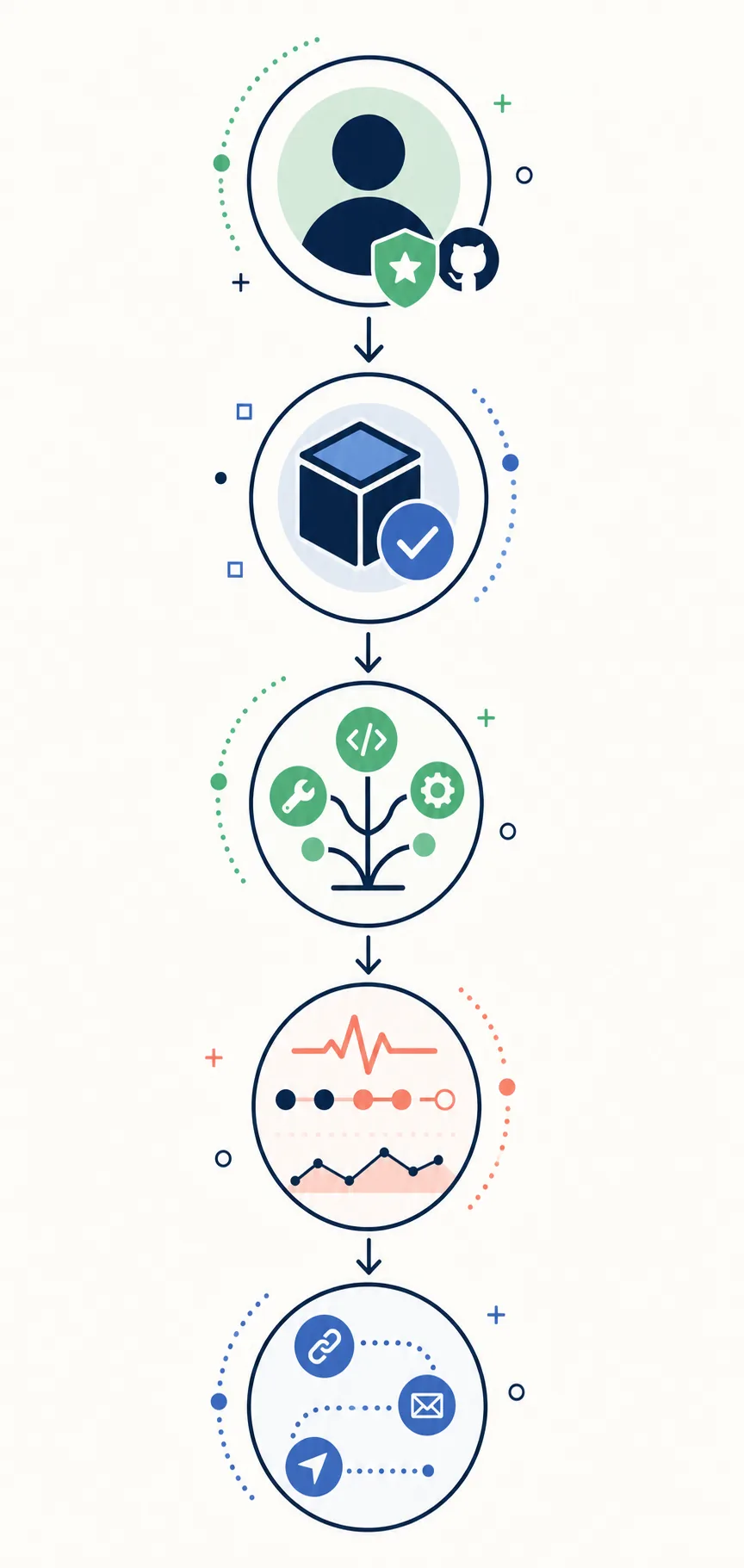
Choose the visitor
Decide whether the profile is primarily for hiring, open-source collaboration, freelance work, learning, or project support. The answer determines what belongs near the top.
Pick proof, not inventory
Select two or three projects that show the kind of work you want more of. Explain the problem, your role, and the result in one or two lines.
Add context around the stack
Group technologies by use case or project. A short explanation is more credible than a wall of icons that says nothing about how you work.
Add one useful visual
Choose a stats card, streak card, contribution image, or GitHub City link only when it answers a visitor question that the text does not answer.
Review the live profile
Check image loading, link targets, alt text, mobile wrapping, heading order, and whether the first screen still explains your focus without scrolling.
GitHub profile README examples by goal
The phrase “best GitHub profile README” does not have one universal answer. The best example is the one whose opening sections match the reader you want to reach. Use these patterns as starting points, then replace generic claims with evidence from your own work.
Keep the first paragraph specific enough to be memorable and short enough to scan. A visitor should understand your current direction before they reach the activity widgets.
Job-search profile
Open with the role you are targeting, then show two projects with outcomes, demo links, and the technologies that mattered. Put contact and résumé links near the project proof.
Open-source maintainer
Lead with maintained packages, release notes, documentation, contribution guidance, and the easiest way for a new contributor to help.
Student or early-career profile
Show a learning direction, a few finished projects, and what you are practicing next. Explain progress honestly instead of using activity totals as a substitute for experience.
Creator or consultant
Lead with outcomes, case studies, writing, products, or talks. Make the next conversation easy with one clear contact path rather than a collection of unrelated links.
Visual portfolio profile
Use one strong visual to create a memorable entry point, then connect it to project proof. An interactive GitHub City experience or a static contribution image should support the story, not replace it.
How to use badges, stats, and 3D visuals
Badges work best as compact facts: a package version, a license, a deployment status, or a technology you actively use. They work poorly as decoration. If the first screen contains more badges than sentences about your work, the visual balance is probably wrong.
Stats cards and streak cards are activity signals, not a complete measurement of skill. They can be useful below the project section, but they should not outrank a working demo, readable documentation, or a clear explanation of your contribution. Check the README Stats guide and Streak Stats guide before adding both cards together.
A 3D contribution view can make a profile memorable when it is clearly labeled and fast to understand. Use profile-3d-contrib for a generated image in the README, or use GitHub City when an interactive exploration link is more useful. In either case, keep the surrounding text clear about what the visual shows and what it does not prove.
A useful visual answers one question
Before keeping a widget, write the sentence it helps a visitor understand. If you cannot write that sentence, the widget is probably competing with your real project proof.
Checks before publishing your profile README
Review the live profile as a public visitor. These checks catch the problems that make otherwise good GitHub profile README ideas feel unfinished.
| Problem | Likely cause | Fix |
|---|---|---|
| The profile is too long | Every past project and every tool was included | Keep current direction and strongest proof near the top; move history to a separate link |
| A widget wall hides the work | Badges, stats, streaks, and animations repeat the same signal | Keep one or two complementary visuals and explain their purpose |
| An image is broken | Wrong branch, path, case, or private asset | Open the raw image URL and test it while signed out |
| Projects feel generic | Repository names were listed without outcomes or roles | Add the problem, your contribution, and the result for each featured project |
| Mobile layout overflows | Wide tables, large GIFs, or unwrapped HTML | Use simple Markdown, compressed images, and short link labels |
| Activity looks empty | GitHub counting rules, privacy settings, or stale third-party cards | Check the official contribution graph first, then troubleshoot the visual |
FAQ about GitHub profile README ideas
What should I put at the top of a GitHub profile README?
Start with your role or current focus, one sentence about what you build, and a link to your strongest project. The visitor should know why to keep reading before they reach badges or activity cards.
What are good GitHub profile README ideas for beginners?
Use a short introduction, learning direction, two or three completed projects, the technologies used, and what you are building next. Honest context is more useful than a large list of untested tools.
How do I add a README to my GitHub profile?
Create a public repository whose name exactly matches your username, add a README.md file, and commit it. GitHub then displays that README on the profile page.
Should a profile README include every badge I have?
No. Keep badges that communicate an active technology, project status, license, or useful fact. Remove badges that add noise or make the profile look like a scoreboard.
Can I use GitHub stats and a 3D contribution image together?
You can, but they should serve different purposes. Put project proof first, use one compact activity card for context, and add a 3D image only if it improves the visual story without slowing the page.
How often should I update a profile README?
Update it when your role, strongest projects, contact path, or current focus changes. A short quarterly review is usually enough; do not automate noisy commits just to make the file look active.