早わかり: Skyline はモデル向け、GitHub City はブラウザ探索向け
GitHub Skyline はモデル出力を意識した GitHub 貢献可視化です。カレンダーやブラウザ都市ではなく、活動を3D skyline として表現します。
違いは出力形式です。Skyline はファイル、模型、3Dプリントが目的の時に向きます。GitHub City はユーザー名を入力してすぐ3D都市を見たい時に向きます。
生成前に公式の貢献グラフを確認してください。commit email、branch、fork、private 表示、更新待ちが欠落の原因になります。
基本手順は、データ確認、出力形式での選択、モデルファイルが必要な場合だけ Skyline を使うことです。
公式のgh-skylineプロジェクトは、GitHubの貢献データからバイナリSTLファイルを生成するGitHub CLI拡張として説明されています。現在の導入コマンドはgh extension install github/gh-skylineです。オプションや前提条件はリポジトリで確認し、出力形式の比較にはGitHub City・GitCity・GitHub Skyline比較を使います。
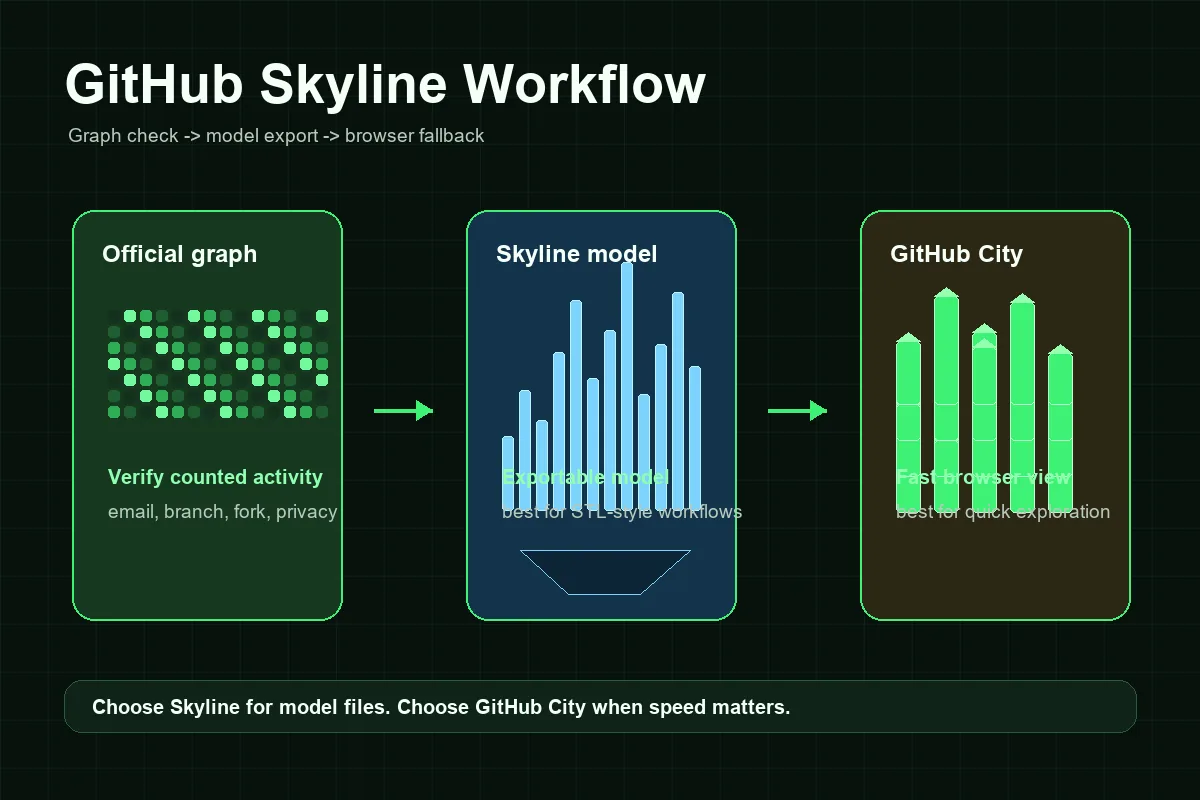
GitHub Skylineのワークフロー
Skylineはブラウザーだけで使う可視化ツールより準備が必要ですが、データ確認とモデル生成を分ければ手順は整理できます。
プロフィールとグラフを確認
公開 GitHub プロフィールから確認します。公式グラフが空または不完全なら、まずその原因を直します。
GitHub CLI を準備
GitHub CLIを導入してgh authで認証し、gh extension install github/gh-skylineで拡張を追加します。最新のオプションと前提条件は公式リポジトリを確認してください。
skyline モデルを生成
正しいアカウントと年を指定し、認証状態をそろえて生成します。
印刷や共有前に確認
活動が多い週が期待通りの高さになっているか確認します。空なら公式グラフに戻ります。
短時間なら GitHub City を使う
ポートフォリオ画像や素早い確認なら GitHub City の方が手軽です。
GitHub Skyline・GitHub City・公式コントリビューショングラフ
出力形式で選びます。Skylineはモデル、GitHub Cityはブラウザー、公式グラフはデータ確認の基準です。
| 選択肢 | 向いている用途 | 出力 | 手間 | 選ぶ場面 |
|---|---|---|---|---|
| GitHub Skyline | 出力または3Dプリント用の貢献履歴 | 3D skyline モデル | 中 | モデルファイル、STL系の流れ、ローカル生成が必要な時。 |
| GitHub City | 素早いオンライン3D可視化 | ブラウザ上のインタラクティブ3D都市 | 低 | ユーザー名を入力してすぐ探索したい時。 |
| GitCity / CodeCity | 別のプロフィール可視化 | 共有しやすい視覚シーン | 低から中 | 別の都市表現を使いたい時。 |
| 公式 GitHub 貢献グラフ | 活動が数えられたか確認 | カレンダー heatmap | なし | 3D可視化前の基準が必要な時。 |
トラブル対処:GitHub Skylineが空または不正に見える理由
Skylineの問題の多くはモデル生成前に起きます。公式グラフでGitHubが活動を数えていなければ、出力にも含まれない可能性があります。未関連付けのコミットメール、対象外のブランチ、未マージのフォーク、非公開貢献の表示設定、リポジトリ条件、更新待ち時間を確認してください。
次の問題はローカル環境です。CLI拡張が未導入、認証不足、アカウントの権限不一致、指定年の活動不足などでコマンドラインの可視化が失敗することがあります。これは設定の問題であり、SEOや可視化データの問題とは分けて考えます。
Skylineは視覚的な比喩でもあります。ツールによって週、日、貢献数を高さへ変換する方法が異なります。街より低いSkylineでも、データが間違っているとは限らず、表示スケールが違う場合があります。
不足したコミット
commit email、対象 branch、fork、repository visibility、更新時間を確認します。
private の作業
private contribution は設定により非表示または匿名化されます。
誤ったアカウントや年
ユーザー名と対象期間を確認します。
セットアップ失敗
GitHub CLI、認証、拡張、repository の手順を確認します。
GitHub Skylineが向いている場面
最終成果物が重要ならGitHub Skylineを使います。3Dプリント、机に置く模型、イベント、チームの振り返り、開発者向けの記念品に向いています。ローカル設定を行う分、生成モデルを管理できます。
速さと手軽さが重要ならGitHub Cityを使います。採用担当者、チームメンバー、訪問者はページを開いて公開ユーザー名を入力するだけで、インストールなしに貢献の街を確認できます。
ポートフォリオでは両方を使えます。Skylineは書き出しや印刷用、GitHub Cityは操作できる探索用、公式コントリビューショングラフは事実確認用です。3つは競合する測定値ではなく、貢献履歴の異なる見せ方だと説明してください。
実用的なルール
モデルファイルが必要な理由を説明できないなら、まずGitHub Cityを使います。物理模型や書き出し可能なSkylineが必要なら、公式コントリビューショングラフを確認してからGitHub Skylineを使います。
よくある質問
GitHub Skylineとは何ですか?
GitHub Skylineは、GitHubの貢献履歴をSkyline形式の3D可視化へ変換するモデル重視の方法で、gh-skylineワークフローと関連して説明されます。
GitHub SkylineはGitHub Cityと同じですか?
いいえ。GitHub Skylineは書き出し可能なモデル向けで、GitHub Cityはブラウザーで3Dの街をすぐに探索するためのツールです。
GitHub SkylineはSTLファイルを作れますか?
Skylineの検索ではSTL形式や印刷可能な出力がよく意識されます。正確な出力仕様は変わる可能性があるため、現在のgh-skylineリポジトリを確認してください。
GitHub Skylineが空なのはなぜですか?
まず公式コントリビューショングラフを確認します。コミットメール、ブランチ、フォーク、非公開設定、リポジトリ条件、対象年が合わないとSkylineが空に見えることがあります。
ポートフォリオにはGitHub SkylineとGitHub Cityのどちらが向いていますか?
Webですぐに見せるならGitHub City、モデル・印刷・書き出しを重視するならGitHub Skylineが向いています。
GitHub SkylineはSTLファイルを生成しますか?
はい。公式のgithub/gh-skylineプロジェクトでは、GitHubの貢献データからバイナリSTLファイルを生成する拡張機能として説明されています。CLIの要件は変わる可能性があるため、インストール前にリポジトリを確認してください。