Respuesta rapida: Skyline es para modelos, GitHub City para explorar en el navegador
GitHub Skyline es un visualizador orientado a modelos. En vez de limitarse al calendario verde, transforma la actividad en una skyline 3D que puede servir para exportar, compartir o preparar una impresion. La intencion de busqueda suele ser practica: saber si gh-skyline funciona, si puede producir un archivo tipo STL y si compensa frente a una herramienta web.
La diferencia clave es el resultado. Skyline tiene sentido cuando quieres un objeto o archivo; GitHub City es mejor cuando solo quieres escribir un usuario y ver una ciudad 3D rapidamente. La pagina de comparacion de herramientas 3D amplia esa decision.
Antes de generar una skyline, valida el grafico oficial de contribuciones. Si GitHub no cuenta un commit por email, rama, fork, privacidad o demora de actualizacion, la visualizacion tampoco podra inventarlo.
El enfoque mas seguro es comprobar los datos, elegir herramienta por formato de salida y usar GitHub City como opcion rapida si no necesitas un modelo local.
El proyecto oficial gh-skyline describe GitHub Skyline como una extensión de GitHub CLI que genera un archivo STL binario a partir de los datos de contribuciones. La instalación actual usa gh extension install github/gh-skyline; consulta el repositorio para los parámetros y requisitos. Para comparar resultados, usa GitHub City vs GitCity vs GitHub Skyline.
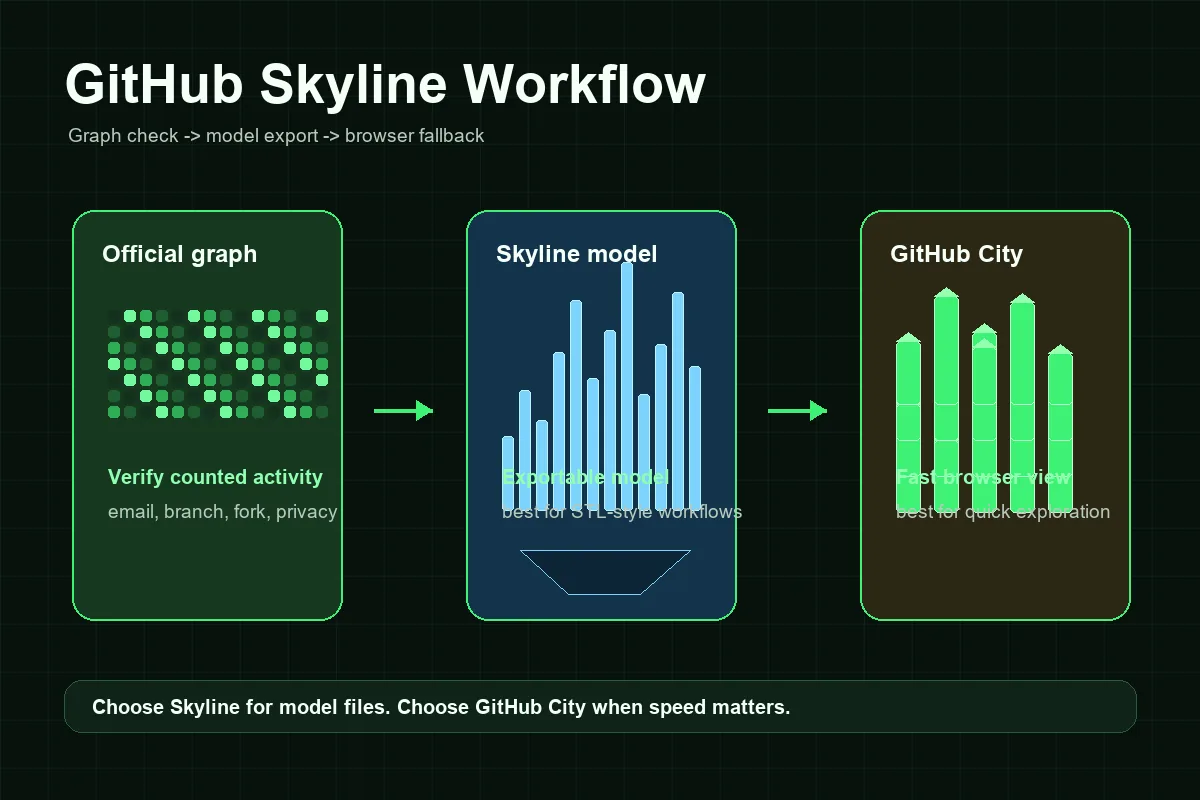
Cómo funciona normalmente un flujo de GitHub Skyline
El flujo de Skyline requiere más configuración que un visualizador solo para navegador, pero los pasos son previsibles cuando separas la comprobación de datos de la generación del modelo.
Confirma el perfil y el gráfico
Empieza en el perfil público de GitHub. Si el gráfico oficial está vacío, privado o no muestra commits recientes, corrige eso antes de culpar a Skyline.
Prepara GitHub CLI
Instala GitHub CLI, autentícate con gh auth y después instala la extensión con gh extension install github/gh-skyline. Sigue el repositorio oficial para los requisitos y parámetros actuales.
Genera el modelo skyline
Ejecuta el flujo para la cuenta y el año correctos. Mantén usuario, rango y autenticación consistentes.
Revisa antes de imprimir o compartir
Comprueba si las semanas activas producen la altura esperada. Si parece vacío, vuelve a revisar el gráfico oficial.
Usa GitHub City como alternativa rápida
Para capturas de portfolio, compartir en redes o explorar rápido, GitHub City suele ser más directo.
GitHub Skyline frente a GitHub City y el gráfico oficial de contribuciones
Elige por formato de salida: Skyline prioriza el modelo, GitHub City el navegador y el gráfico oficial es el punto de control de los datos.
| Opción | Mejor para | Salida | Esfuerzo | Cuándo elegir |
|---|---|---|---|---|
| GitHub Skyline | Historial exportable o imprimible | Modelo 3D tipo skyline | Medio | Necesitas un modelo, flujo tipo STL o generación local repetible. |
| GitHub City | Visualización 3D rápida en línea | Ciudad 3D interactiva en el navegador | Bajo | Quieres escribir un usuario y explorar el resultado rápido. |
| GitCity / CodeCity | Narrativa visual alternativa del perfil | Escena visual compartible | Bajo a medio | Quieres otra metáfora de ciudad o presentación. |
| Gráfico oficial de GitHub | Verificar si la actividad fue contada | Mapa de calor calendario | Ninguno | Necesitas la base antes de cualquier visualizador 3D. |
Solución de problemas: por qué un GitHub Skyline puede verse vacío o incorrecto
La mayoría de los problemas de Skyline empieza antes de generar el modelo. Si GitHub no cuenta una actividad en el gráfico oficial, es posible que tampoco aparezca en la exportación. Las causas habituales son un correo de commit no asociado, una rama no contabilizada, un fork sin fusionar, la visibilidad de contribuciones privadas, la elegibilidad del repositorio o un breve retraso de actualización.
El segundo grupo de problemas está en el flujo local. Un visualizador de línea de comandos puede fallar si no está instalada la extensión de CLI, falta autenticación, los permisos no corresponden a la cuenta o el año elegido tiene poca actividad visible. Trátalo como un problema de configuración, no como un problema de SEO o visualización.
Por último, recuerda que Skyline es una metáfora visual. Las herramientas pueden convertir semanas, días o cantidades de contribuciones en alturas diferentes. Un skyline más bajo que una ciudad no significa necesariamente que los datos estén mal; puede usar otra escala de representación.
Commits faltantes
Revisa email del commit, ramas contadas, forks, visibilidad del repositorio y tiempo de actualización.
Trabajo privado
Las contribuciones privadas pueden ocultarse o anonimizarse según la configuración del perfil.
Cuenta o año incorrectos
Confirma el usuario y el rango. Un año tranquilo producirá una skyline escasa.
Fallo de configuración
Si falla el comando local, revisa GitHub CLI, autenticación, extensión e instrucciones del repositorio.
Cuándo merece la pena usar GitHub Skyline
Usa GitHub Skyline cuando el resultado final sea lo importante. Encaja mejor con impresión 3D, objetos físicos de escritorio, eventos, retrospectivas de equipo y recuerdos personales de desarrollo. La configuración local adicional compensa porque puedes controlar el modelo generado en vez de depender de una escena activa del navegador.
Usa GitHub City cuando importen más la rapidez y la accesibilidad. Un reclutador, compañero o visitante puede abrir una página, introducir un usuario público y ver una ciudad de contribuciones sin instalar nada. Por eso GitHub City es más práctico para explorar un portfolio, mientras Skyline encaja mejor con proyectos orientados a modelos.
Un buen portfolio puede usar ambos: Skyline para una exportación cuidada u objeto impreso, GitHub City para explorar de forma interactiva y el gráfico oficial de GitHub como base factual. Enlázalos con texto claro para que se entienda que son vistas distintas del historial de contribuciones, no mediciones competidoras.
Regla práctica
Si no puedes explicar por qué necesitas un archivo de modelo, empieza con GitHub City. Si necesitas un skyline físico o exportable, usa GitHub Skyline después de verificar el gráfico oficial de contribuciones.
Preguntas frecuentes
¿Qué es GitHub Skyline?
GitHub Skyline es una forma orientada a modelos de convertir el historial de contribuciones de GitHub en una visualización 3D con forma de skyline, normalmente asociada al flujo gh-skyline.
¿GitHub Skyline es lo mismo que GitHub City?
No. GitHub Skyline encaja mejor con modelos exportables, mientras que GitHub City sirve para explorar rápidamente una ciudad 3D en el navegador.
¿GitHub Skyline puede crear un archivo STL?
Las búsquedas de Skyline suelen centrarse en salidas STL o imprimibles. Sigue las instrucciones actuales del repositorio gh-skyline para conocer el comportamiento exacto, porque las herramientas pueden cambiar.
¿Por qué mi GitHub Skyline aparece vacío?
Comprueba primero el gráfico oficial de contribuciones de GitHub. Un correo de commit, una rama, un fork, la visibilidad privada, la elegibilidad del repositorio o el año incorrectos pueden hacer que el skyline parezca vacío.
¿Qué es mejor para un portfolio: GitHub Skyline o GitHub City?
Usa GitHub City para una visualización interactiva rápida en la web. Usa GitHub Skyline cuando quieras un modelo, una impresión o un archivo exportable como parte de tu portfolio.
¿GitHub Skyline genera un archivo STL?
Sí. El proyecto oficial github/gh-skyline describe la extensión como una herramienta que genera un archivo STL binario a partir de datos de contribuciones de GitHub. Revisa el repositorio antes de instalarla porque los requisitos de línea de comandos pueden cambiar.